Skip to content

CRM & sales pipeline

The CRM your team will actually keep up to date

Accounts, contacts and deals in one connected workspace — with a drag-and-drop pipeline, records that open beside your list, and dashboards where every chart is a shortcut to the records behind it.

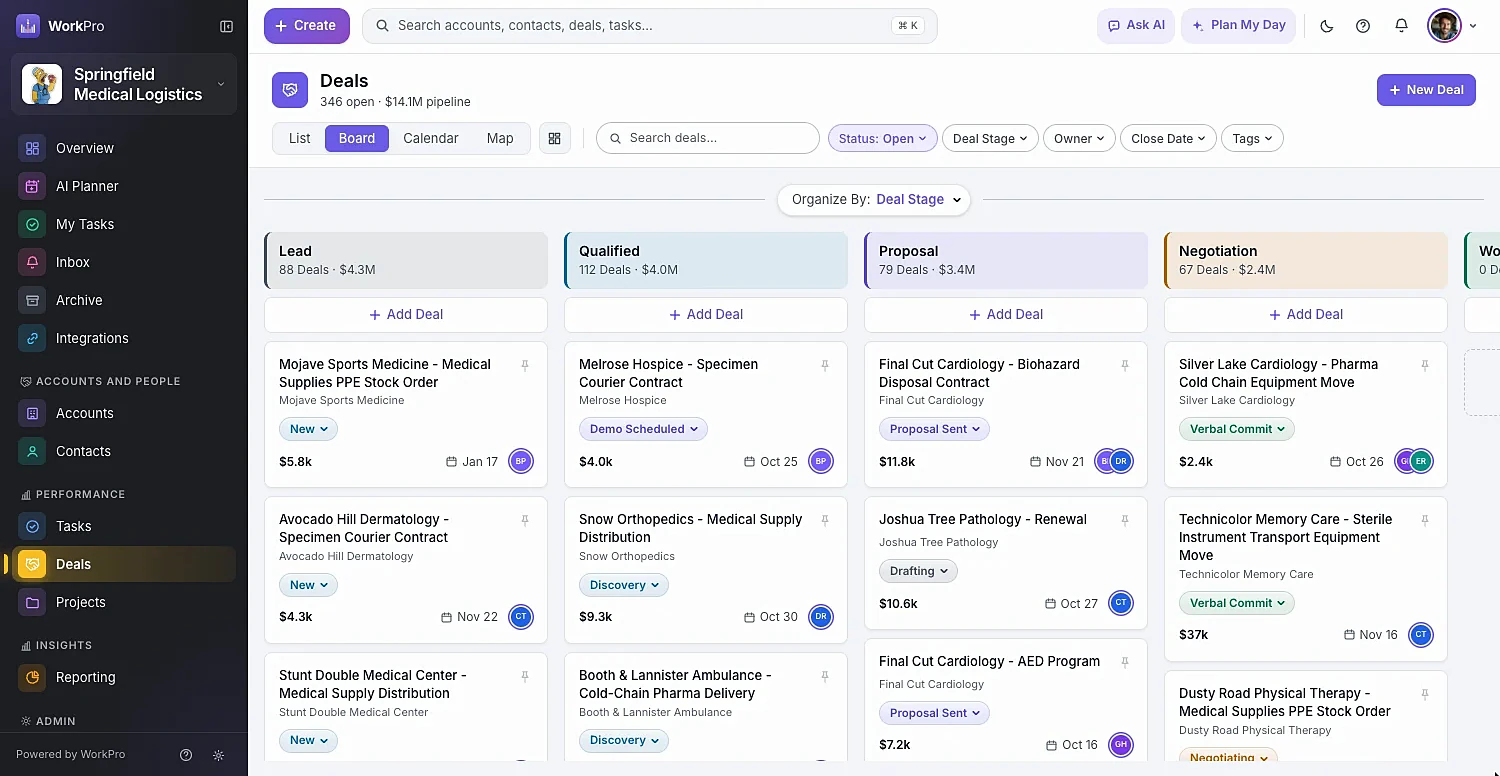
WorkPro deals pipeline board organized by deal stage with counts and values per column
ways to view your records — list, cards, board, calendar, Gantt and map
6
ways to view your records — list, cards, board, calendar, Gantt and map
of built-in fields, plus 12 custom field types
100s
of built-in fields, plus 12 custom field types
save buttons to remember — every field autosaves
0
save buttons to remember — every field autosaves

Accounts

Every company, and everything about it, on one page

Account pages bring together health, tier, stage and status, the key contacts, open deals, won revenue, tasks, files and a complete activity timeline. Add a website and WorkPro fetches the logo for you.

  • Health (On Track, At Risk, On Hold) and Tier on every account
  • Quick actions to add a deal or contact, send an email or call
  • Tabs for activity, tasks, documents & files, time and billing
  • A field-level audit log shows who changed what, and when
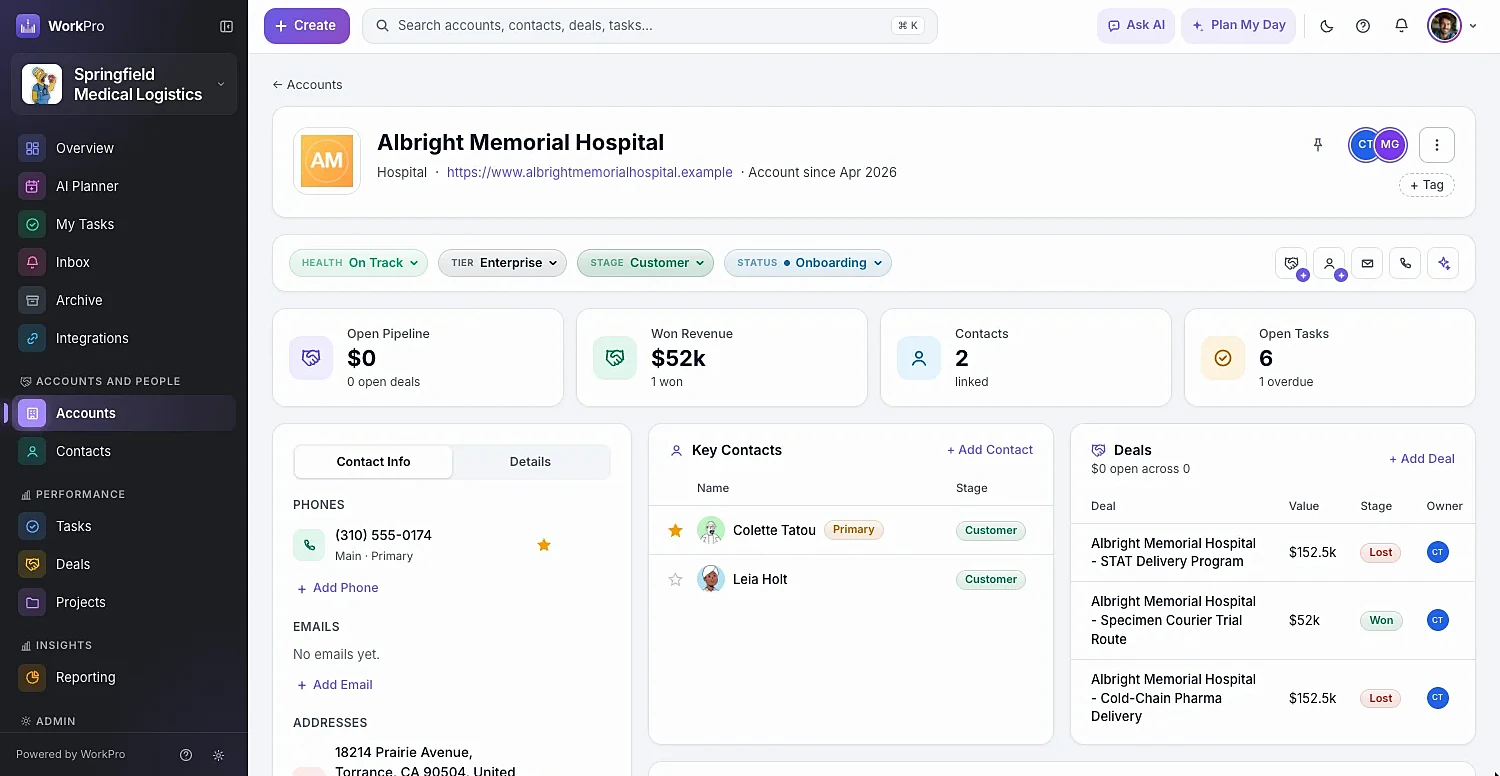
A WorkPro account page with lifecycle bar, key numbers, key contacts and deals

Contacts

People who work across companies, handled properly

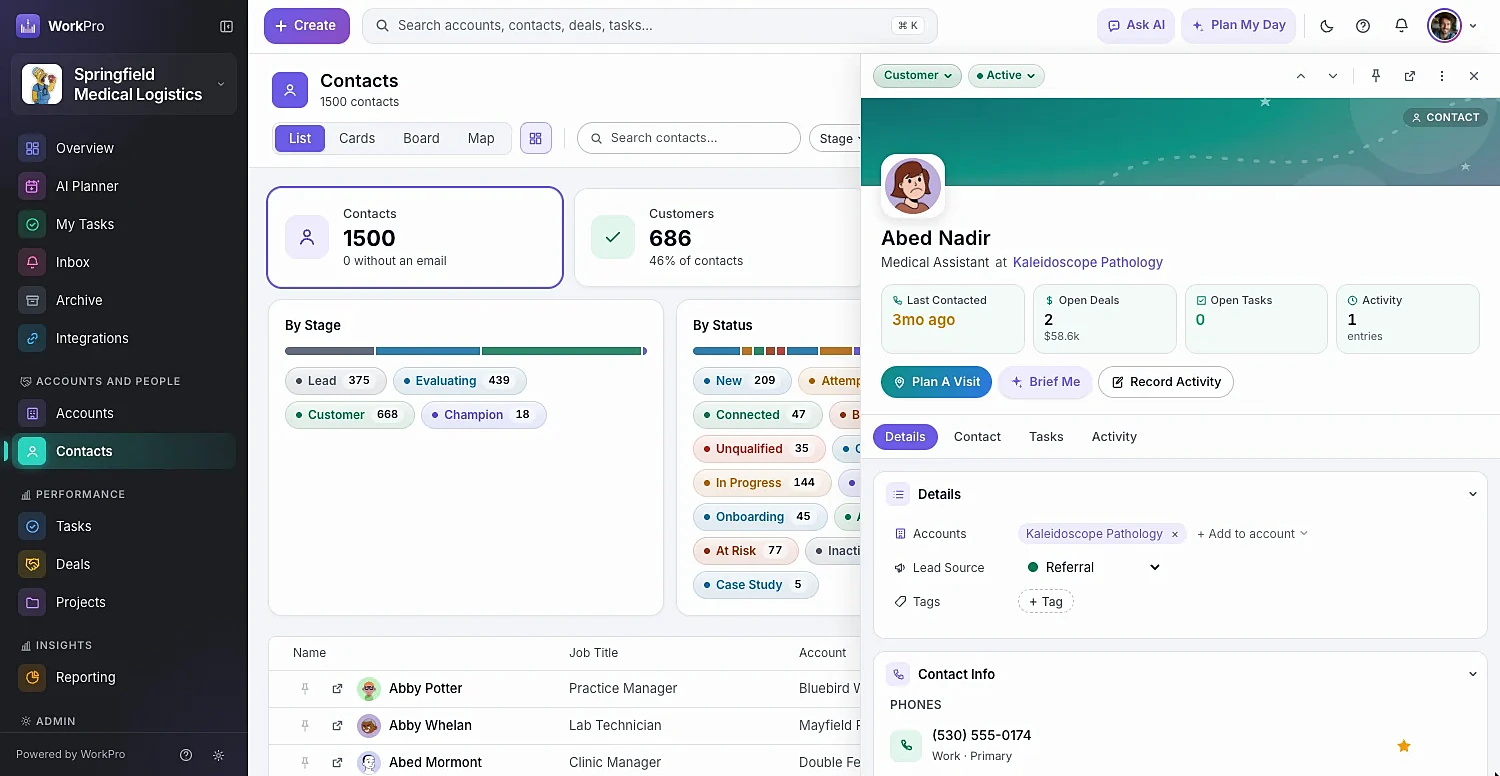
One contact can belong to several accounts, and their activity shows up on each. Multiple emails, phones and addresses each have a starred primary. “Last Contacted” keeps itself current every time you log a call, email or visit.

  • Change stage and status inline, right from the list
  • Call from your phone, FaceTime or Teams in one click
  • Send from your own Gmail and log a copy to the record
  • Default stages: Lead → Evaluating → Customer → Champion — rename them freely
A contact open in the WorkPro side pane beside the contacts list

Deals & pipeline

A sales pipeline you can see, drag and trust

The pipeline board shows every stage with its deal count and value. Switch Organize By to Owner and dragging a card hands the deal to someone else. Deals also live in a list, a calendar by expected close, and on the map.

  • Summary tiles: Open Pipeline, Closing This Month, Won This Quarter, Past Due
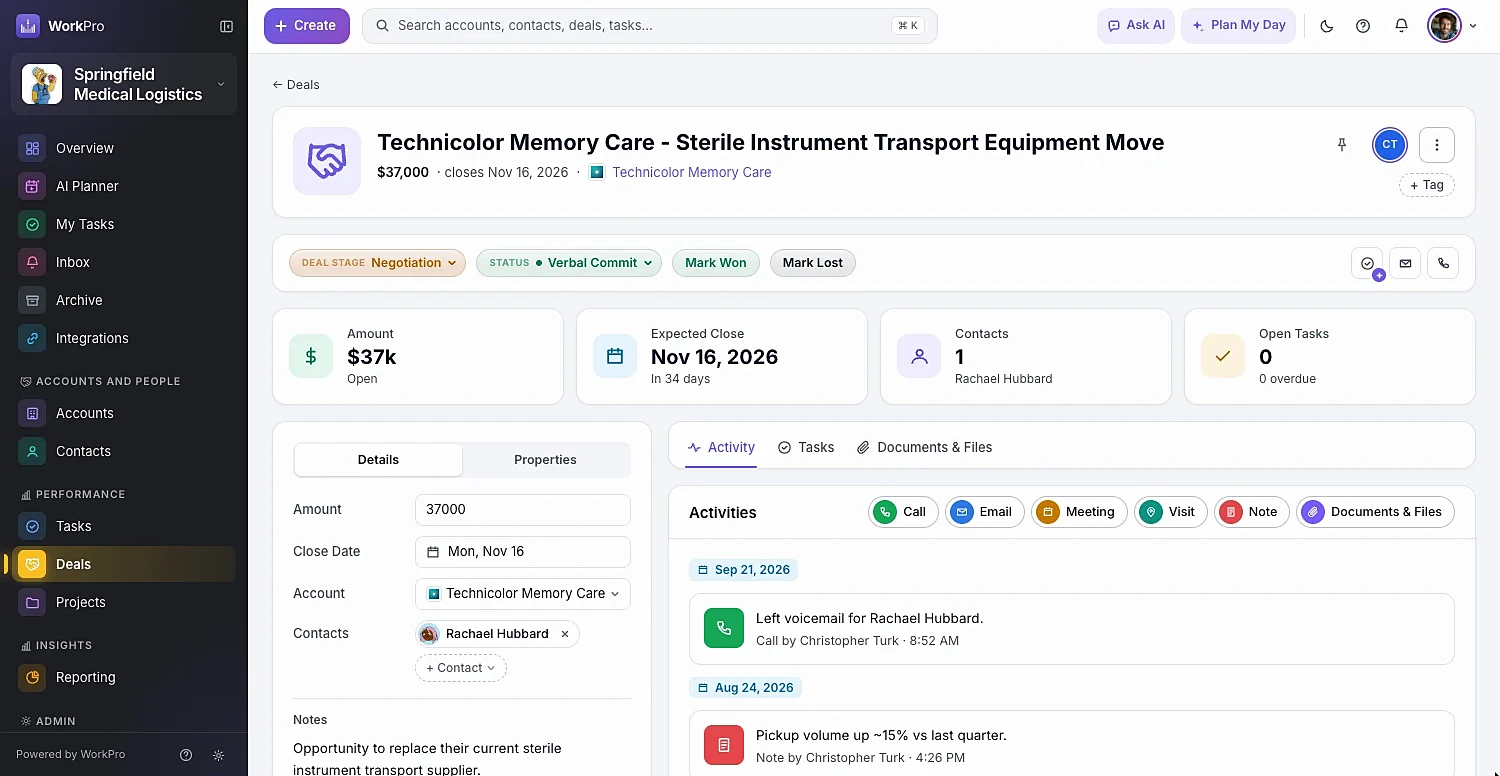
  • Mark Won or Lost — lost reasons reveal why deals slip over time
  • On Mark Won, create a kickoff project from the deal’s open tasks
  • With invoicing on, quote with line items and invoice in one click
A WorkPro deal page with stage pills, Mark Won and Mark Lost buttons and deal details

Activity

Log a call in seconds. Never lose a follow-up.

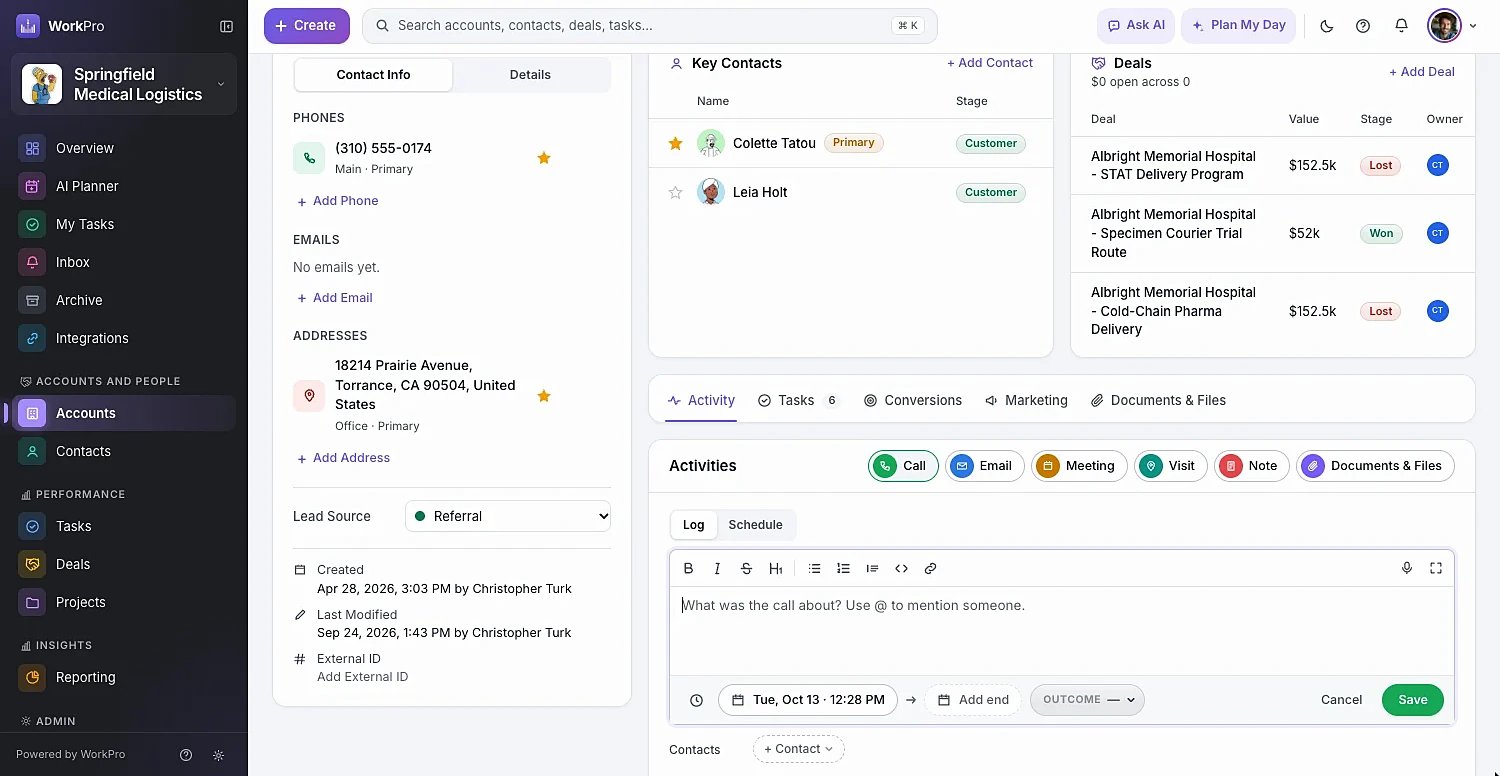
Log calls, emails, meetings, visits and notes on any record — one activity can link to every account and contact involved. Schedule a meeting and, once it’s passed, WorkPro asks what happened until someone fills it in.

  • Call outcomes: Connected, Left Voicemail, No Answer, Busy, Wrong Number
  • Visits record distance driven for mileage
  • Rich-text notes with @mentions, images, attachments and dictation
  • Scheduled calls and meetings sync to Google Calendar
Logging a call in WorkPro with an outcome, notes and linked contacts

Dashboards

Click a chart, get the list behind it

The Overview answers “how are we doing, and what needs me today?” Every bar, segment and row opens the matching records already filtered — and because filters live in the URL, any view can be bookmarked or shared as a report.

  • Switch every card between Everyone and Just Me
  • Pipeline by stage and owner, expected closes, account health
  • Each person picks the cards they want to see
  • Shared links only ever show what the viewer is allowed to see

Capabilities

Everything you expect from a CRM — minus the clutter

WorkPro hides what you don’t use. Turn modules off and their menus, fields and widgets disappear.

  • Side pane & J/K navigation

    Open any record beside the list and step through it with J and K — the fastest way to work a call list.

  • ⌘K global search

    Find accounts, contacts, deals, tasks and projects from one search box, from anywhere.

  • Map view

    Plot accounts, contacts, deals and projects at their addresses — with your filters still applied.

  • Custom fields

    Text, number, currency, dates, checkboxes, dropdowns and multi-selects with colored options.

  • Custom stages & statuses

    Reshape the lifecycle for contacts, accounts, deals and tasks. Any deal stage can count as a customer.

  • Your words, everywhere

    Rename Accounts to “Clients” or Deals to “Opportunities” and the whole app follows.

  • Fast import

    Bring CSV or Excel files of up to 5,000 rows with auto-mapped columns and saved mappings.

  • Archive, never erase

    Deleted records move to the Archive with all their links, ready to restore exactly as they were.

  • Roles & teams

    Six built-in roles plus custom roles scoped to all records, the team’s, or only their own.

Better together

It all runs on the same records

Every WorkPro module shares your accounts, contacts and deals — so the work flows from one to the next.

FAQ

CRM & Pipeline questions

Straight answers about what WorkPro does today. Can’t find yours? Ask us during a demo.

What makes WorkPro different from other small business CRMs?

WorkPro is a CRM first, but it shares the same records with optional modules for projects, time tracking, invoicing, inventory and AI planning. A won deal can become a project, the hours become an invoice, and nobody re-types anything. It’s also built for speed — records open in a side pane next to your list, and every view is shareable by URL.

Can I customize the pipeline stages?

Yes. In Workspace Settings → Lifecycle you can rename, reorder, add and remove stages — with statuses inside each stage — for contacts, accounts, deals and tasks. Each deal stage has an outcome (open, won or lost) that drives win rates.

Can one contact be linked to more than one company?

Yes. A contact can be linked to several accounts, with one marked as primary, and their activity appears on each account’s timeline.

Does WorkPro work with Gmail?

Yes. Connect Google and you can send email from your own Gmail address inside WorkPro. Replies come to your inbox as usual, and a copy of what you sent is saved to the record’s activity.

How do I move from a spreadsheet or another CRM?

Export your data to CSV or Excel and use Import. WorkPro maps columns automatically, lets you create new records, update existing ones, or both, and gives you an error file for any rows it couldn’t import.

Run your whole business from one app

See WorkPro with your own pipeline, projects and invoices in a 30-minute walkthrough. We’ll help you import your data, too.