Ask AI · ⌘J
An assistant that knows the record you’re on
On an account page, “log a call with them” just works. Type it or say it, then confirm the card.
Accounts, deals, projects, time, invoicing and inventory in one beautifully simple app — with AI that plans your day, routes your visits and does the data entry for you.
One workspace. Every part of the job.
Why WorkPro
Most growing teams run on a patchwork: a CRM for sales, another tool for projects, a timer, an invoicing app, a spreadsheet for stock. WorkPro puts all of it on the same records — so a won deal becomes a project, the hours become an invoice, and nobody re-types anything.
Before
Seven logins. Seven bills. Zero context.
With WorkPro
One workspace where everything is connected.

CRM, projects, time, invoicing, inventory and AI planning — switch on only the modules you need.
Product tour
Seven modules that share the same accounts, contacts and deals. Start with the CRM and switch on the rest when you need it.
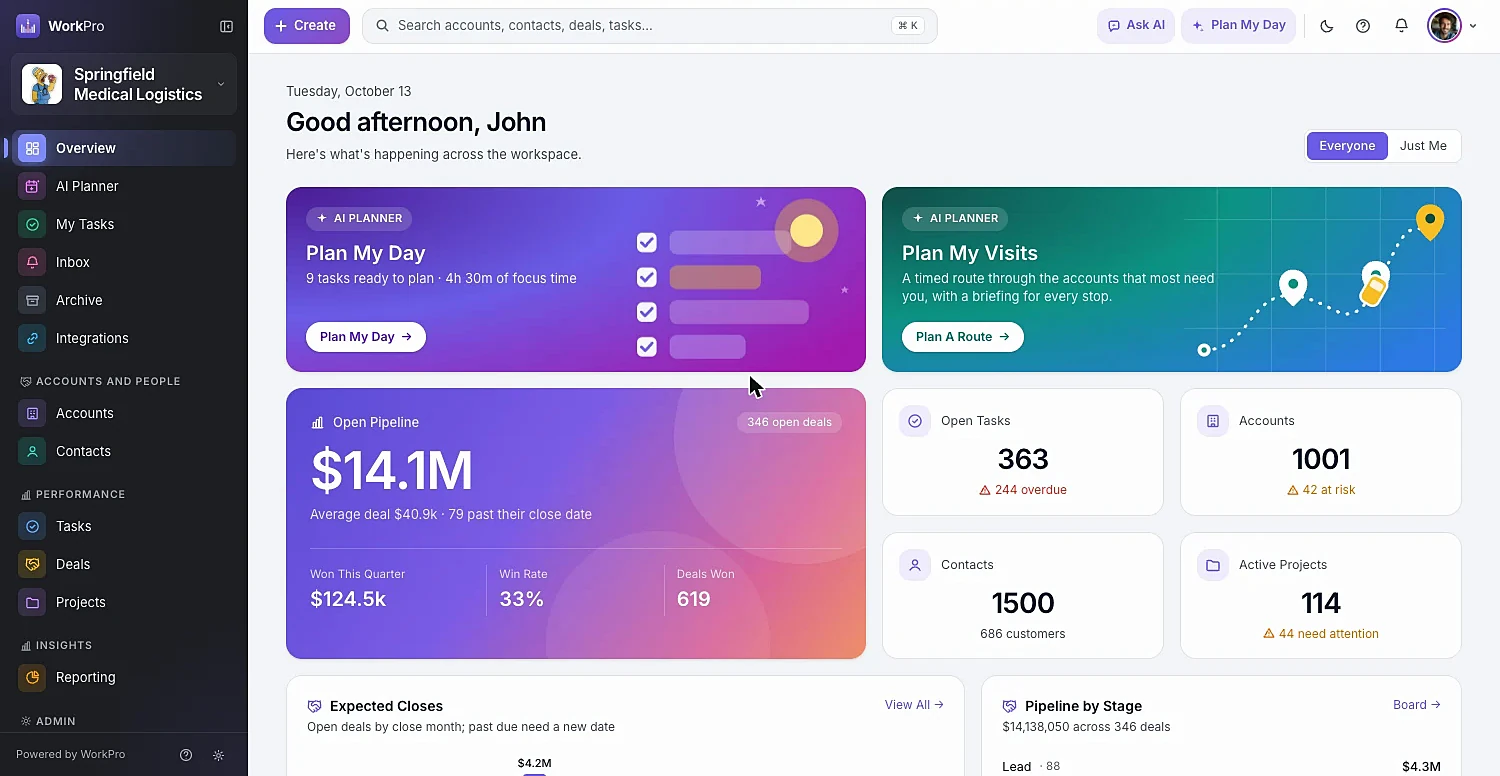
Drag deals across stages, regroup the board by owner to hand work off, and watch every column total update live.
Type or speak — “log a visit with Colette, she wants pricing by Friday” — and WorkPro drafts the activity, task or contact as a card you confirm.
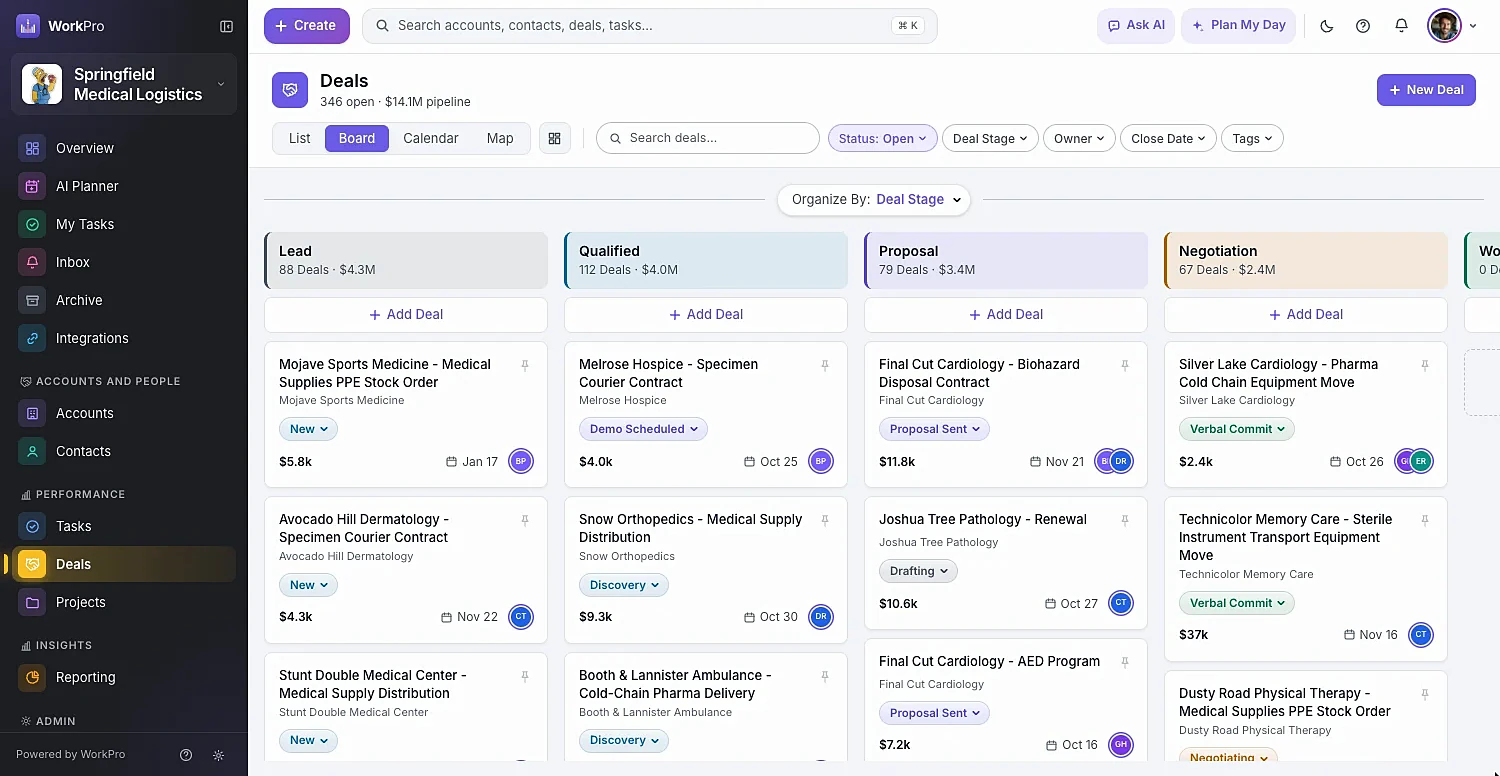
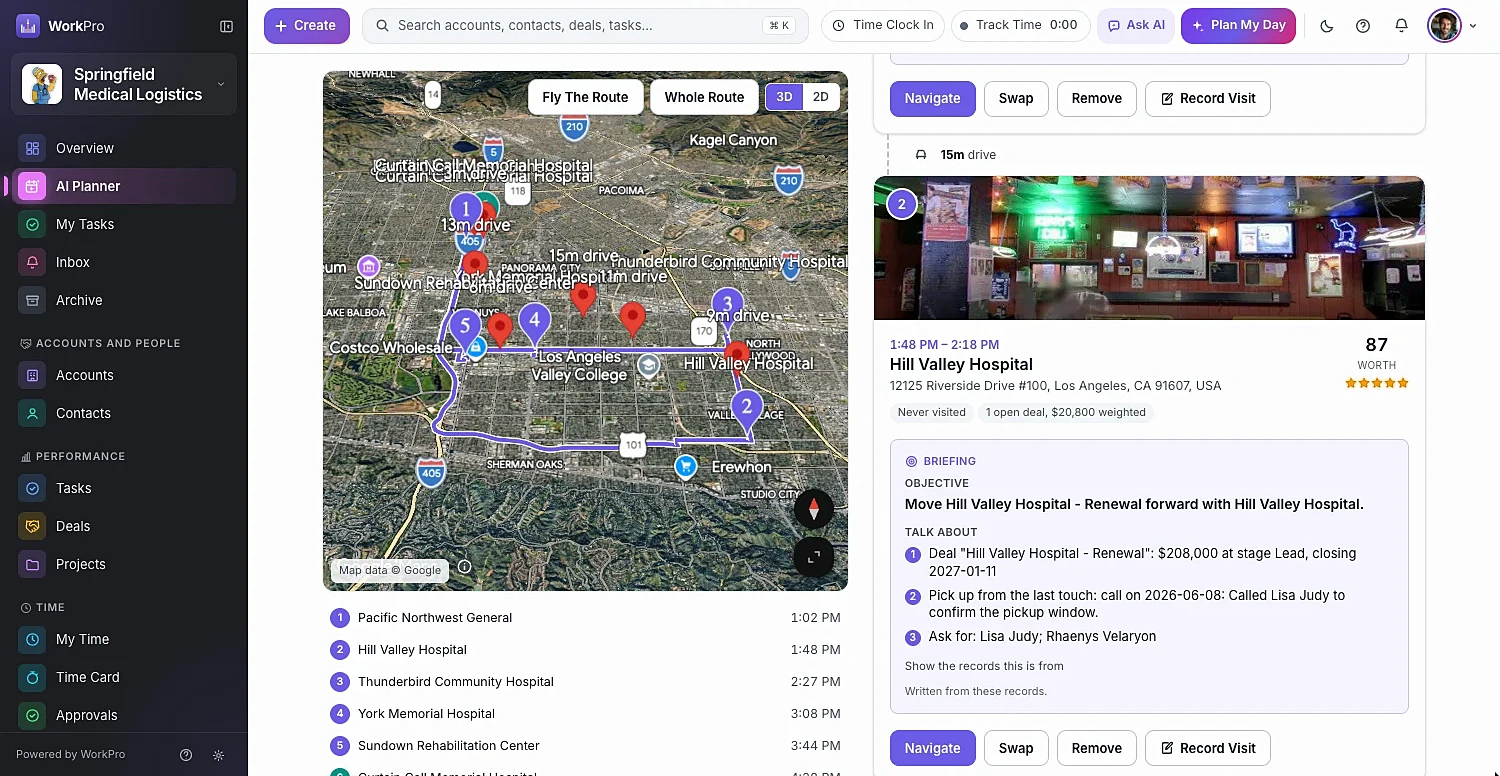
Plan My Visits picks who’s overdue, at risk or has open deals, orders them into a timed route around your calendar, and writes talking points for every stop.
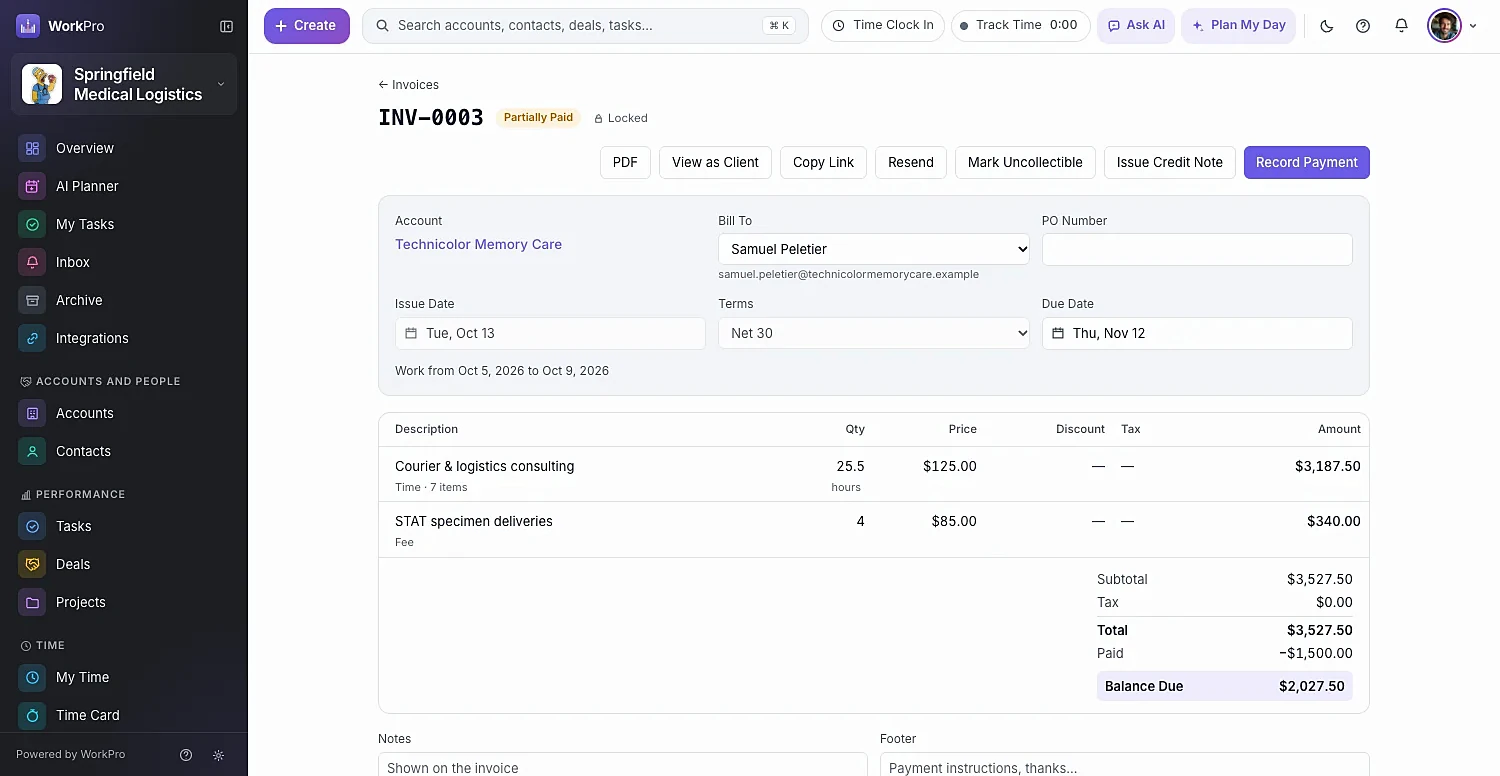
Billable time, visits and tasks wait in Ready to Invoice. Create drafts for many accounts at once, send, record payments and track what’s owed.
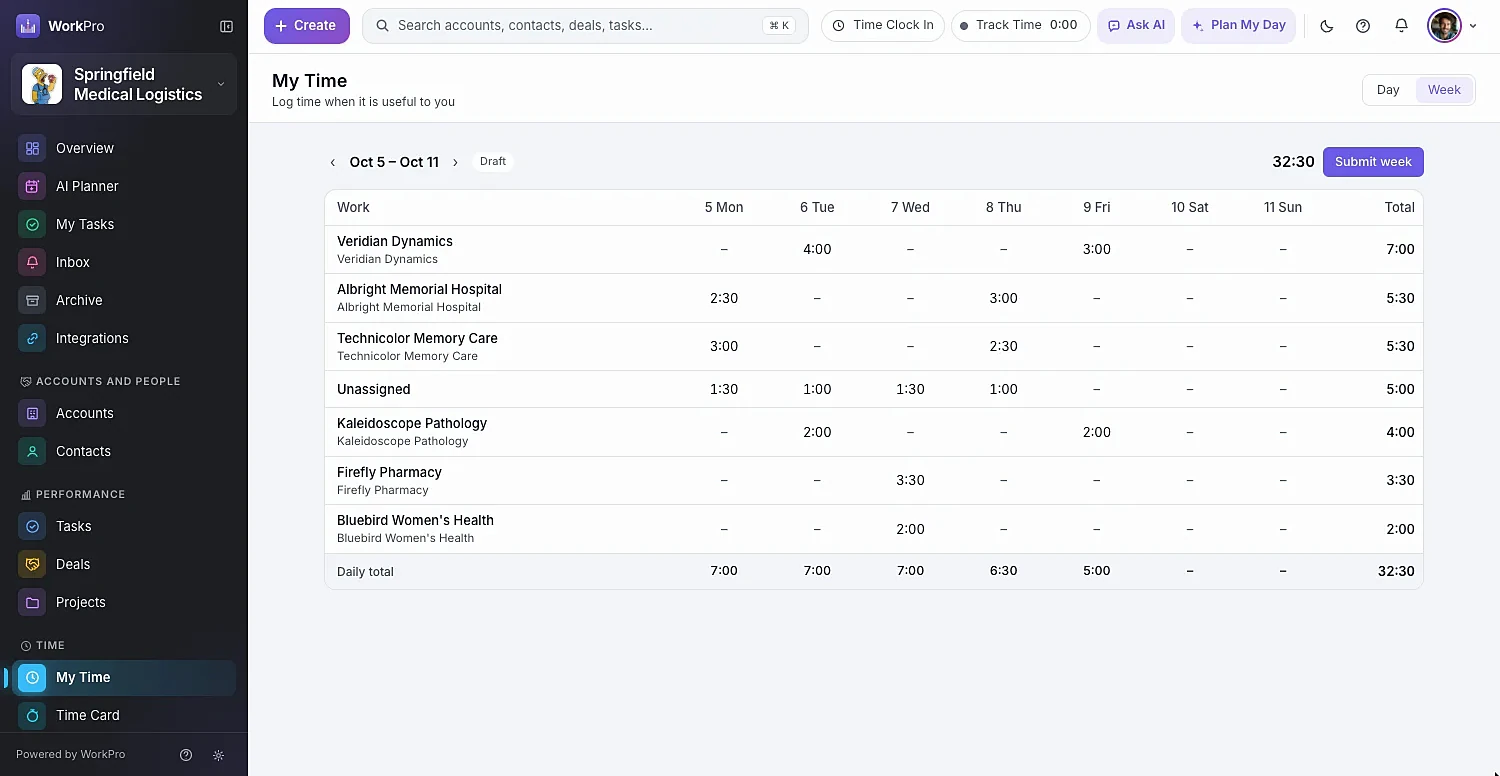
A timer that follows you around the app, weekly timesheets, clock-in time cards with breaks and overtime, and one-click approvals for managers.
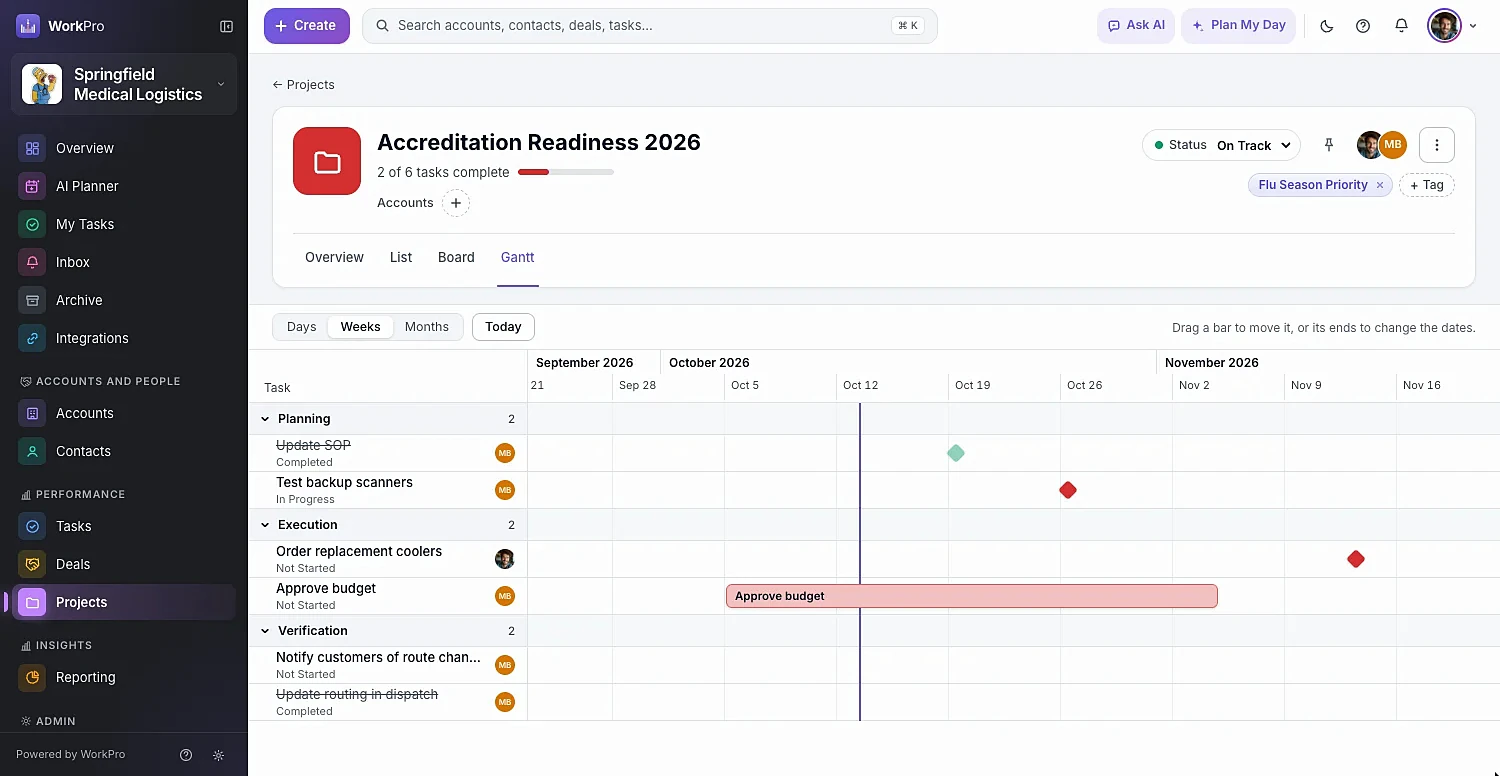
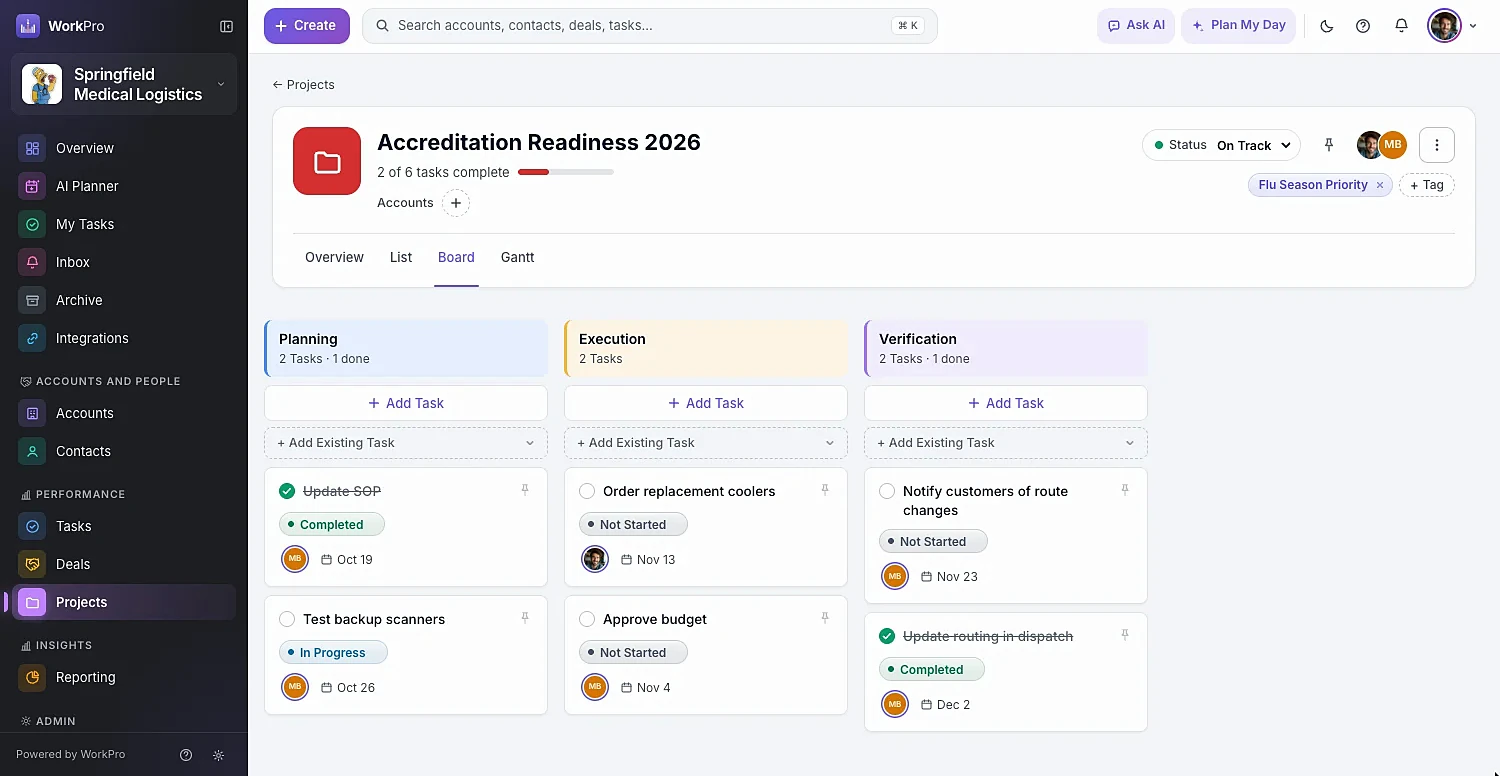
Sections, boards, lists and a drag-to-schedule Gantt — and every task can also live on the account and deal it belongs to.
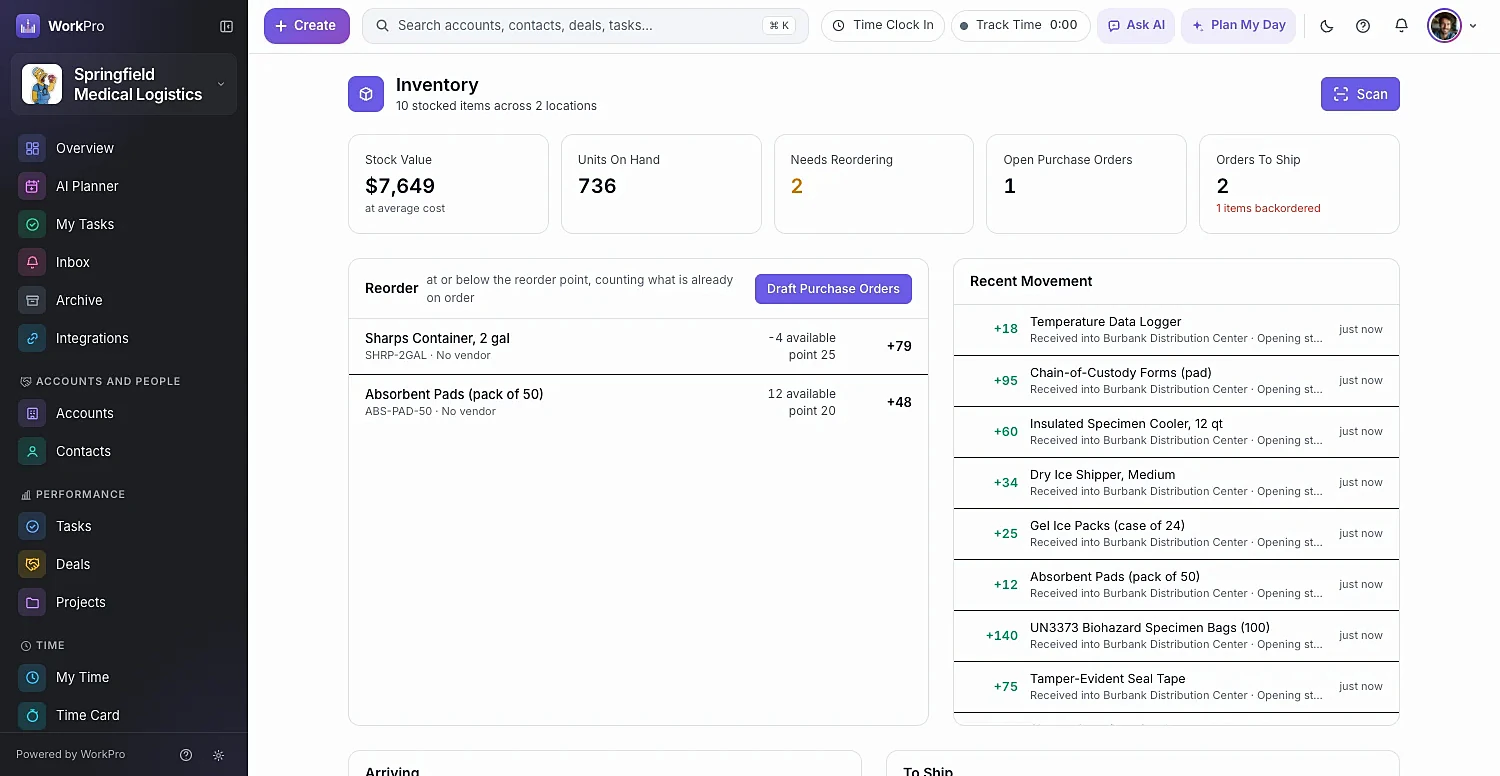
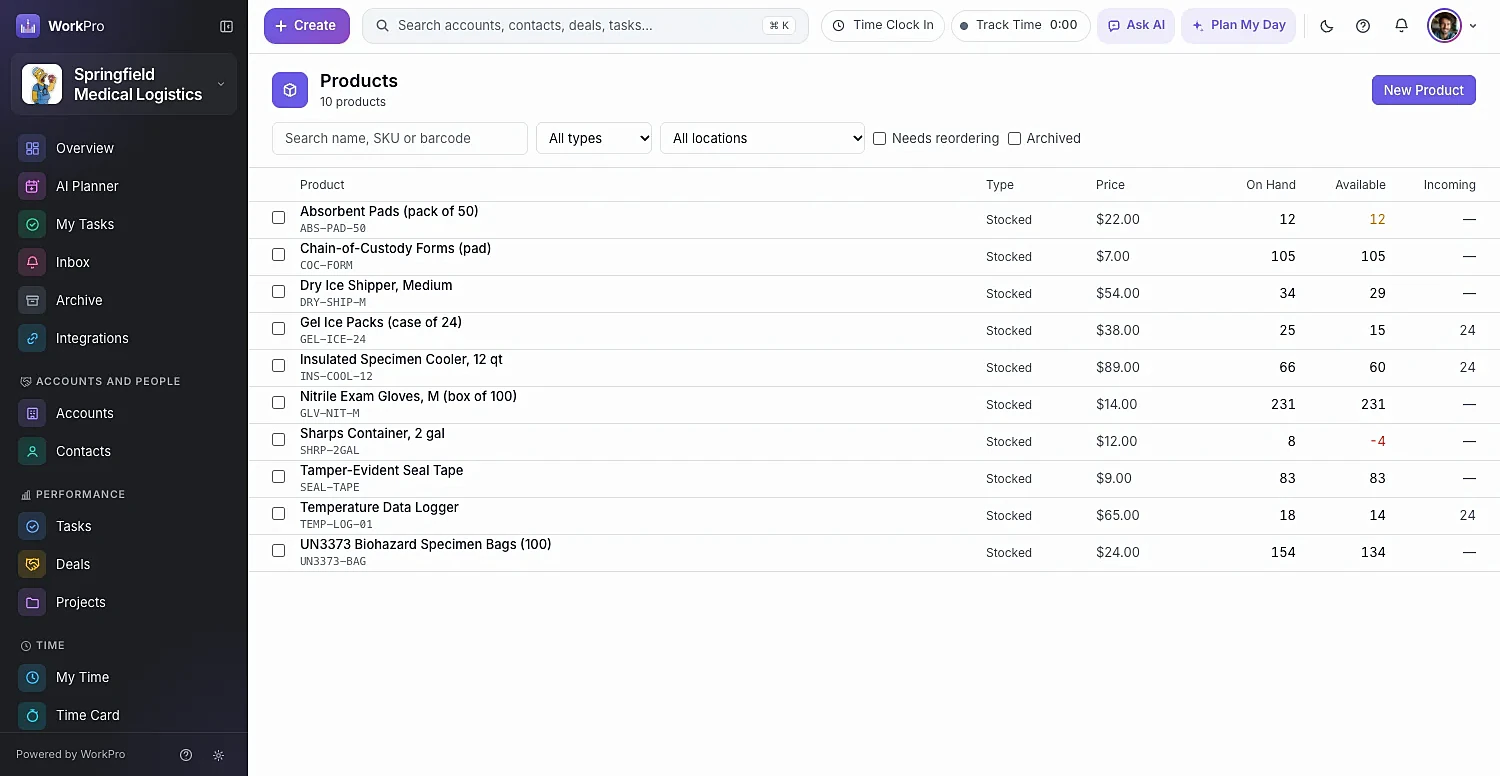
Know what’s on hand, what’s committed and what to reorder. Draft purchase orders per vendor in one click and scan with your phone’s camera.
WorkPro AI
Plan the day, route the visits, write the briefings and log the notes. Every change WorkPro’s AI proposes appears as a card you can edit — nothing is saved until you confirm.
Ask AI · ⌘J
On an account page, “log a call with them” just works. Type it or say it, then confirm the card.
Plain language
Plan My Day
Each task shows its impact score and why it was chosen. Lock in what matters; re-plan the rest.
Plan My Visits
WorkPro picks the accounts most worth visiting, orders them into a driving route around your calendar and customers’ hours, and writes an objective and talking points for each stop.
Your data stays yours. WorkPro AI runs on Google’s enterprise Vertex AI platform, and every write waits for a person to confirm it.
Built for speed
Records open in a side pane next to your list, J and K step through them, and every filter lives in the URL so you can share it. Fast enough that people actually keep it up to date.
Side pane
Open the first At Risk account, then press J. Next, next, next — the list stays right where it was.
Mobile
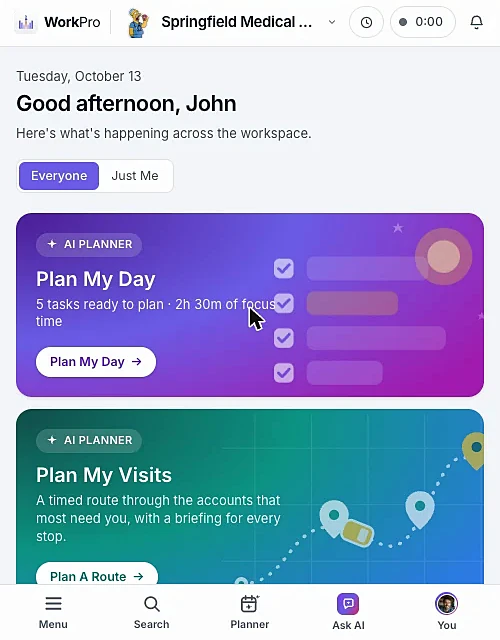
Add WorkPro to your home screen and it opens full-screen like an app, with Ask AI one tap away.
⌘K search
Accounts, contacts, deals, tasks and projects from one box.
Map view
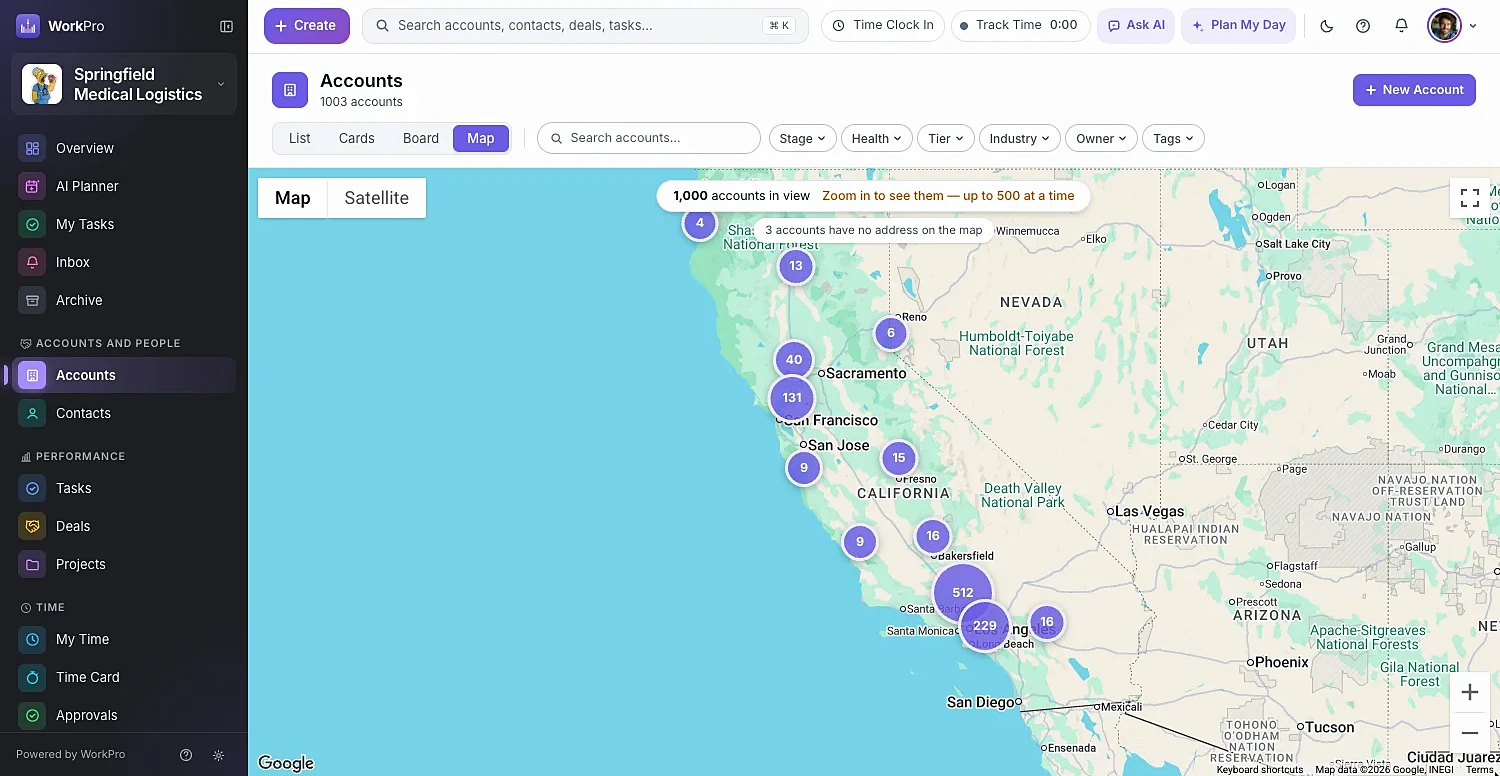
Accounts, contacts, deals and projects plotted where they are — filters still apply.
Click-through dashboards
Click any bar or segment to open exactly those records, already filtered. Bookmark it and you’ve made a report.
Make it yours
Add custom fields, rename Accounts to “Clients”, reshape every pipeline — and put your own logo and brand color on the whole app.
Deleted records go to the Archive and restore with all their links.
See every field’s before and after, who changed it and when.
View, create, edit and delete — scoped to all, team, own or none.
CSV or Excel, auto-mapped columns, up to 5,000 rows per file.
Who it’s for
WorkPro adapts to how your business actually works. Turn on the modules you need, rename things in your own language, and hide everything else.
Visit cadence by tier, AI-planned routes, mileage on every visit and briefings before you walk in the door.
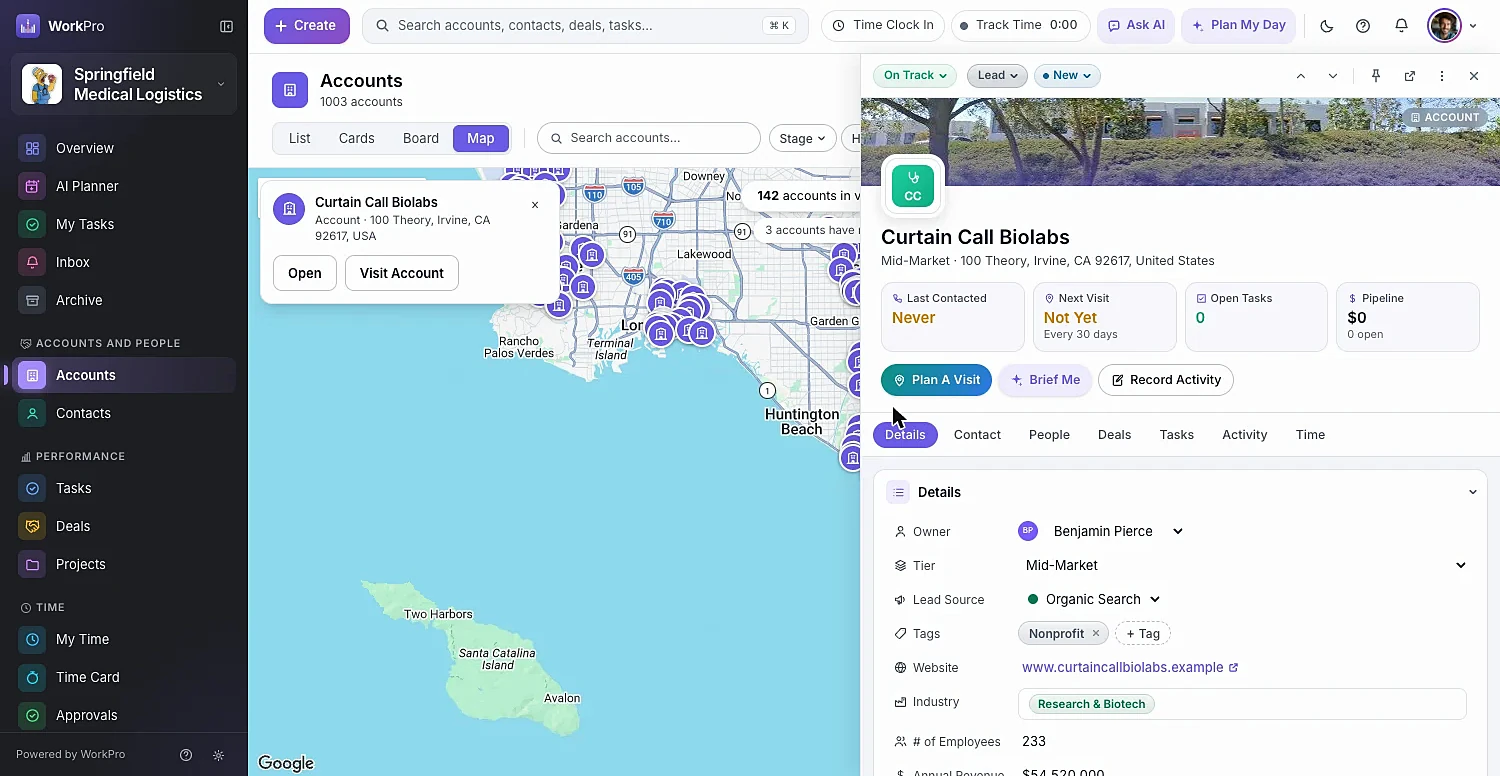
Timers, timesheets and approvals that flow into invoices — with realization and utilization reports to prove it.
Customers, quotes, stock, purchase orders and sales orders in one place, scanned with any phone.
Win the deal, spin up the project in one click, track the hours and bill the retainer — without switching apps.
Integrations
Two-way QuickBooks Online sync keeps your books and your CRM in agreement, and Google connects your inbox and calendar.
Getting started
No consultants and no six-week rollout. Most teams go from spreadsheet to working CRM in a single sitting.
Import accounts, contacts, deals, tasks and projects from CSV or Excel. Columns map themselves; save the mapping for next time.
Projects, time tracking, invoicing, inventory. Turn a module off later and it hides — with its data kept safe.
Send from your own Gmail, plan around Google Calendar, and sync customers, invoices and payments with QuickBooks Online.
Pick a role for each person — or build your own — and group people into teams for shared work.
FAQ
Straight answers about what WorkPro does today. Can’t find yours? Ask us during a demo.
WorkPro is an all-in-one CRM for small and growing businesses. It keeps your accounts, contacts, deals and tasks in one place, and adds optional modules for projects, time tracking, invoicing and billing and inventory — plus AI that plans your day, routes your visits and drafts your notes.
Both. WorkPro is a CRM first — it’s complete without projects turned on. Switch on the Projects module and you get sections, boards and a drag-to-schedule Gantt chart, and a won deal can become a kickoff project in one click.
Yes. Billable time, visits and tasks collect in Ready to Invoice, where you can create draft invoices for many accounts at once. WorkPro handles approvals, recurring invoices, credit notes, deposits, payment reminders, late fees, compound taxes and AR aging reports, and syncs invoices and payments with QuickBooks Online.
Ask AI answers questions about your data and drafts new contacts, tasks and activity logs from plain language or voice, which you confirm before anything is saved. Plan My Day builds your day in time blocks around your meetings, and Plan My Visits builds a driving route through the accounts most worth visiting, with talking points for each stop. It can also scan business cards and research companies on the web.
Yes — with a two-way sync for accounts, billing contacts, vendors, projects, products and services, invoices, payments, credit notes and purchase orders. You choose the direction for each record type, conflicts wait for a person to review, and every change is kept in a sync log for two years. Learn about the QuickBooks sync.
WorkPro runs in your phone’s browser with nothing to install. Add it to your home screen and it opens full-screen like an app, with a bottom menu, Ask AI one tap away, and touch drag-and-drop on boards.
Yes. Export from your current tool and import accounts, contacts, deals, tasks and projects from CSV or Excel — up to 5,000 rows per file. Columns map automatically, you can save mappings, and any failed rows come back in an error file explaining why.
Every workspace is isolated at the database level. Roles control who can view, create, edit and delete each type of record — scoped to all records, their team’s or only their own. Deleted records go to an Archive you can restore from, and every record keeps a field-level audit log.
See WorkPro with your own pipeline, projects and invoices in a 30-minute walkthrough. We’ll help you import your data, too.